Features

Everything the desk, the floor and the office need

From the first enquiry to the month-end report, in one system your whole team can use.

Front desk

Bookings without the paperwork

Create a booking in under a minute. Check availability for any dates, see exactly which rooms are free, and book straight from the result.

  • Negotiated rate per booking
  • Group bookings across several rooms
  • Day-use slots that never clash with a stay
  • Deposits and payments in the methods you use
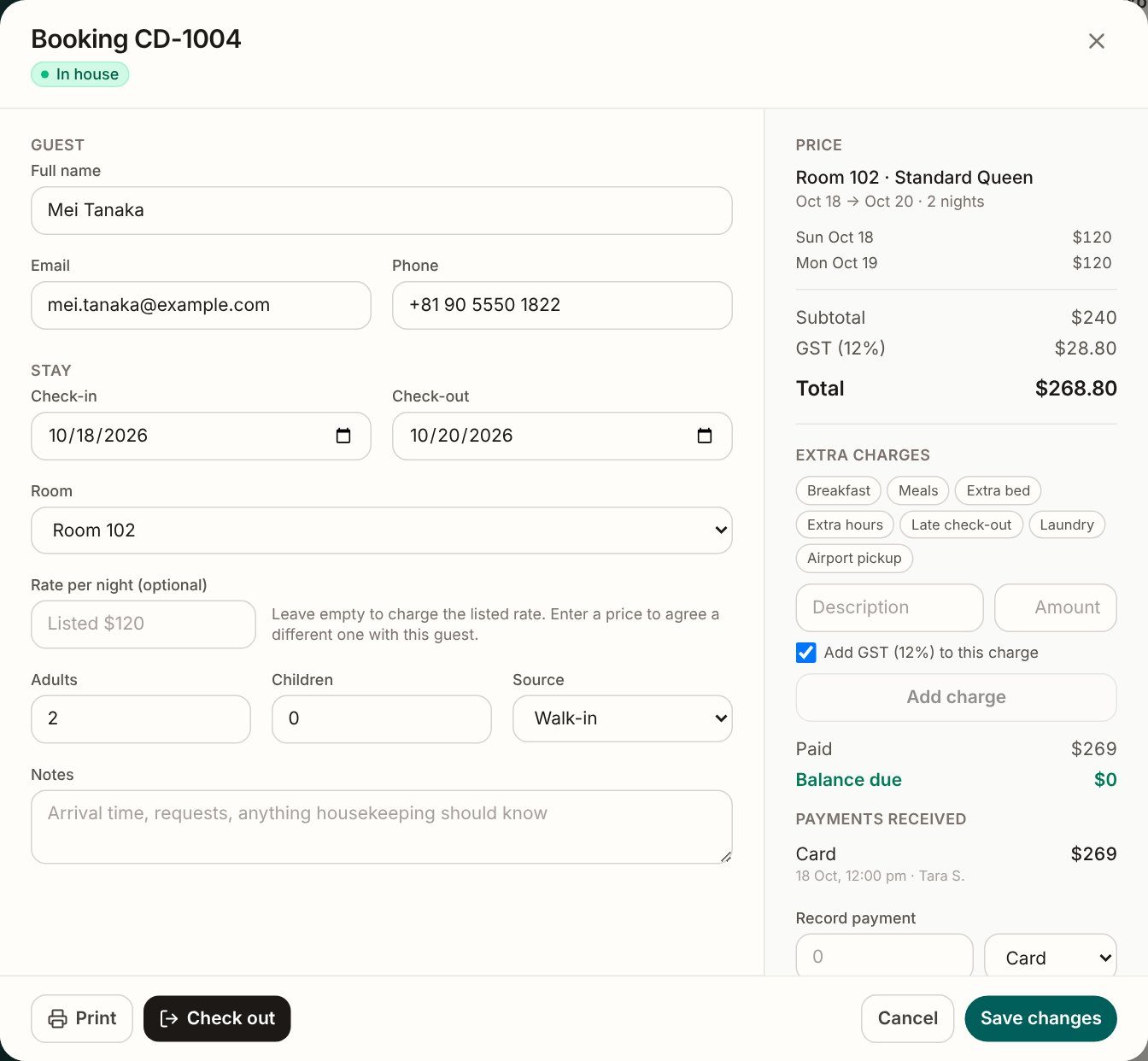
New booking form

Room grid

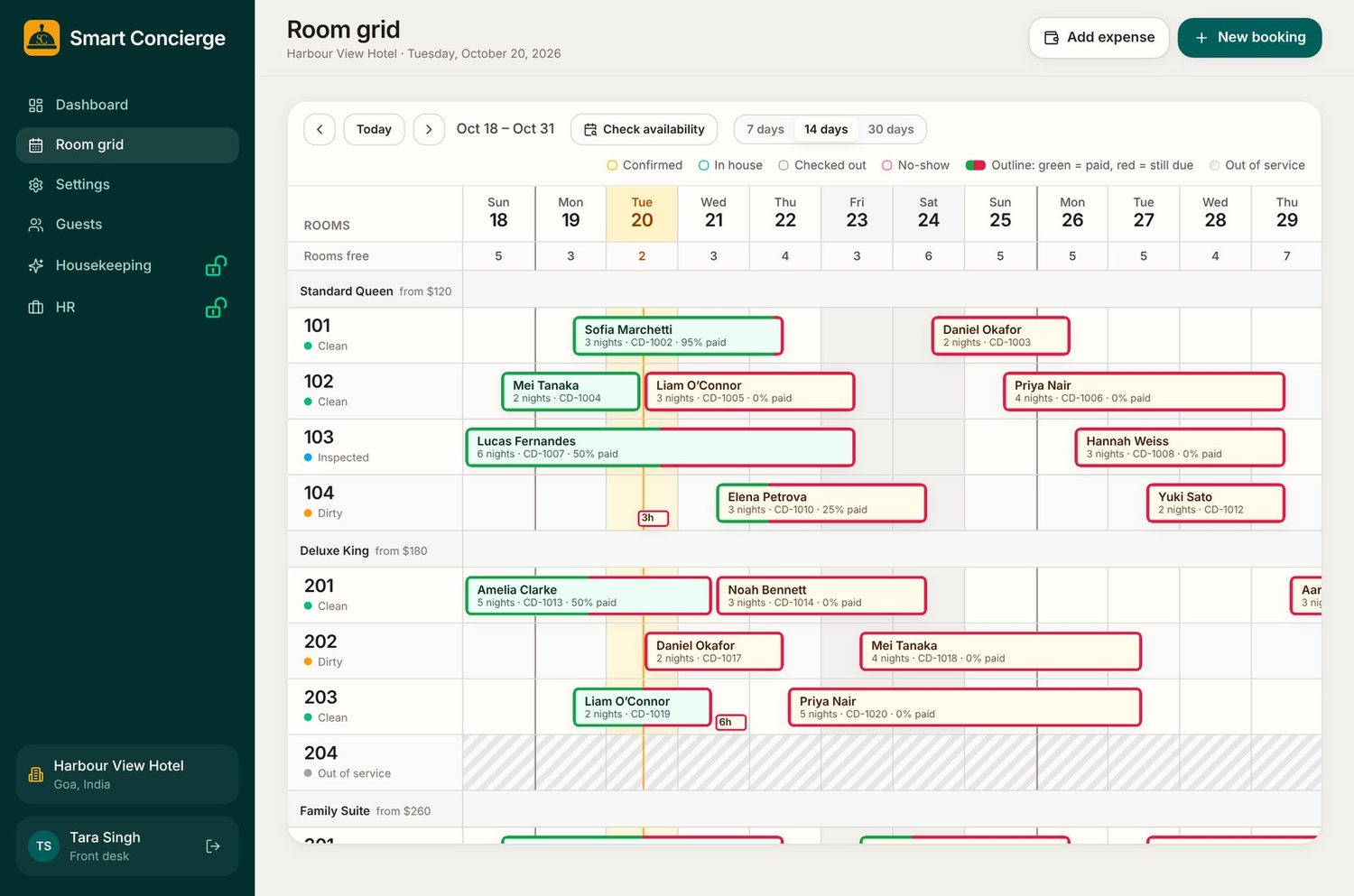
See every room, every night

The calendar shows each booking by room. A green outline means paid and red means money is still due, so you can read the day in a glance.

  • 14-day and 30-day views
  • Move guests between rooms
  • Rooms out of service shown clearly
  • Rooms free count for every date
Room grid

Check-out due

Late check-outs, caught at once

The dashboard lists every guest still in their room after check-out time, with a Check out button and an Extend button beside each name.

  • Shows how long each guest is overdue
  • Extend the stay in one tap
  • Reminder alerts every 30 minutes until it is sorted

Banner listing two guests past check-out time

Amount due

Know who owes what, before they leave

Every booking shows what has been paid and what is still due. The dashboard totals the balance owed by guests in house and lists who owes it.

  • Green and red outlines on the room grid
  • Balance due on every arrival and departure
  • Receipts and invoices in your own currency and tax
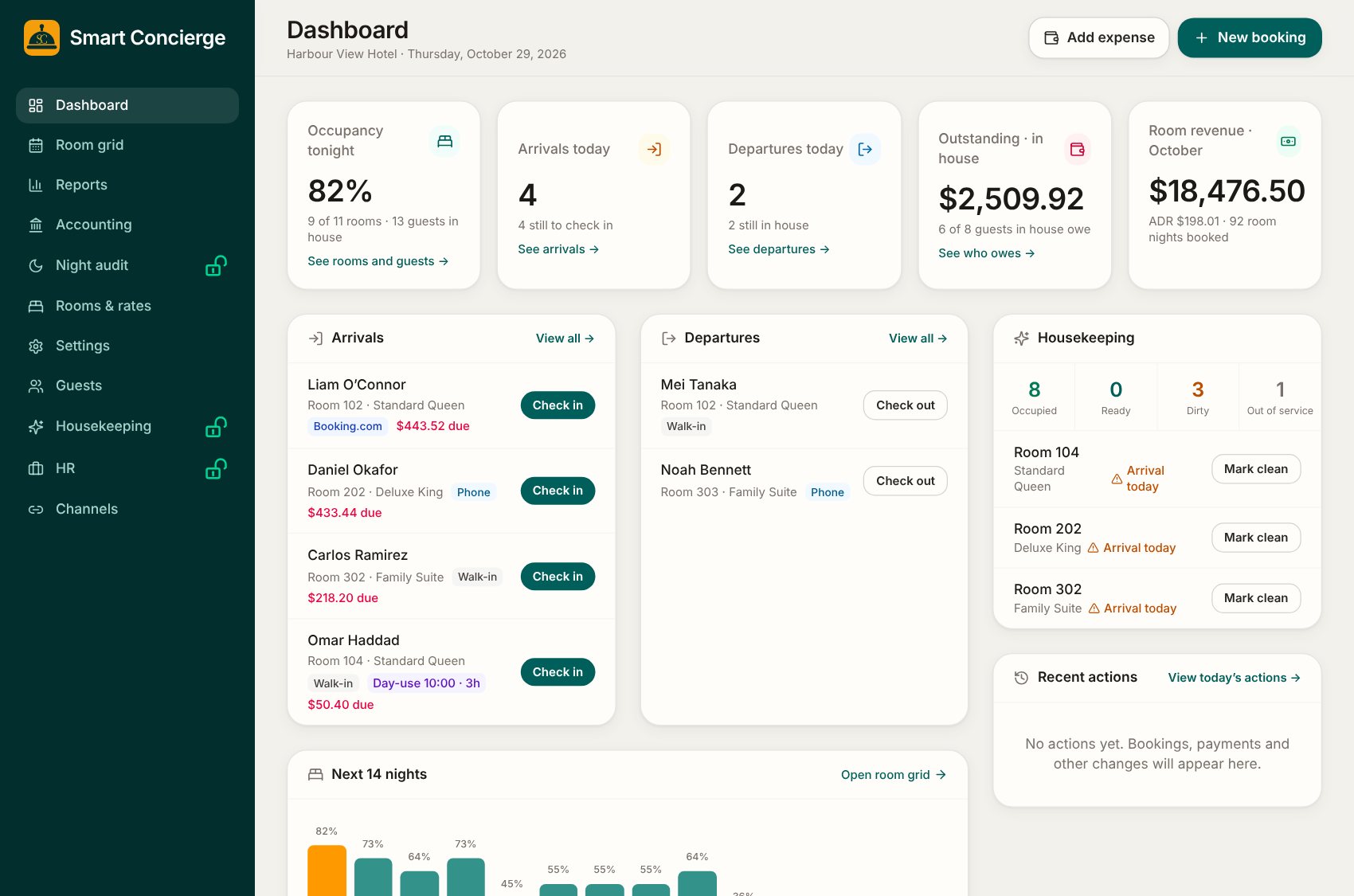
Dashboard with outstanding balance

Housekeeping

Cleaners and desk stay in step

When a guest checks out, the cleaner gets a phone notification. When the room is clean, the front desk is told. No shouting down the corridor.

  • Mark rooms clean, dirty or out of service
  • Each cleaner sees only their own rooms
  • Report a fault with a note and photo
  • Alerts reach phones even with the app closed
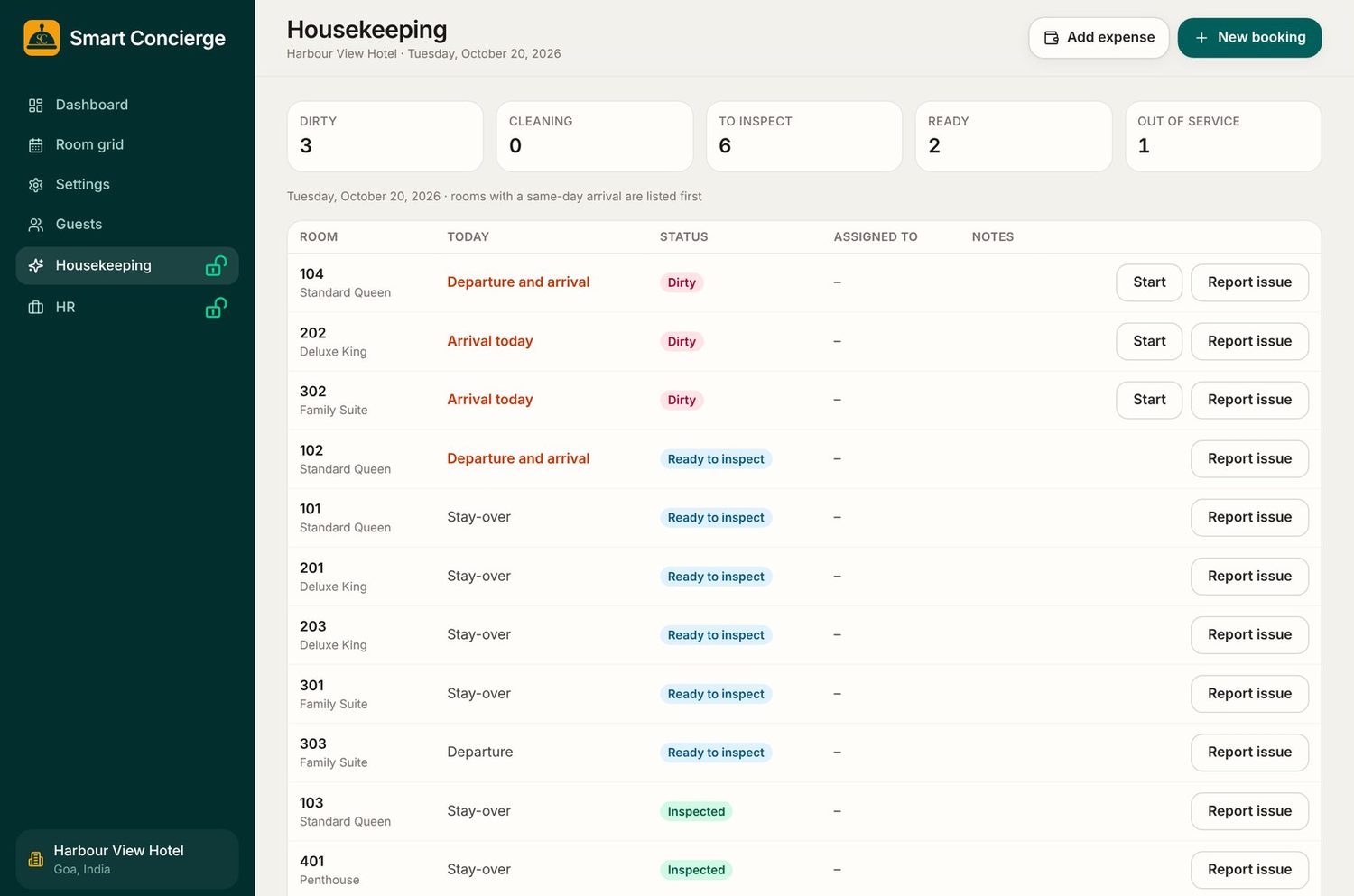
Housekeeping board

Mobile notifications

The right person hears first

Each role gets the alerts that matter to it. Staff switch them on from their own phone, and each person chooses what they receive.

  • New booking, from a booking site or a colleague
  • Payment or advance received
  • Guest checked out, and room ready
  • Overdue check-out, fully booked tonight

Income statement

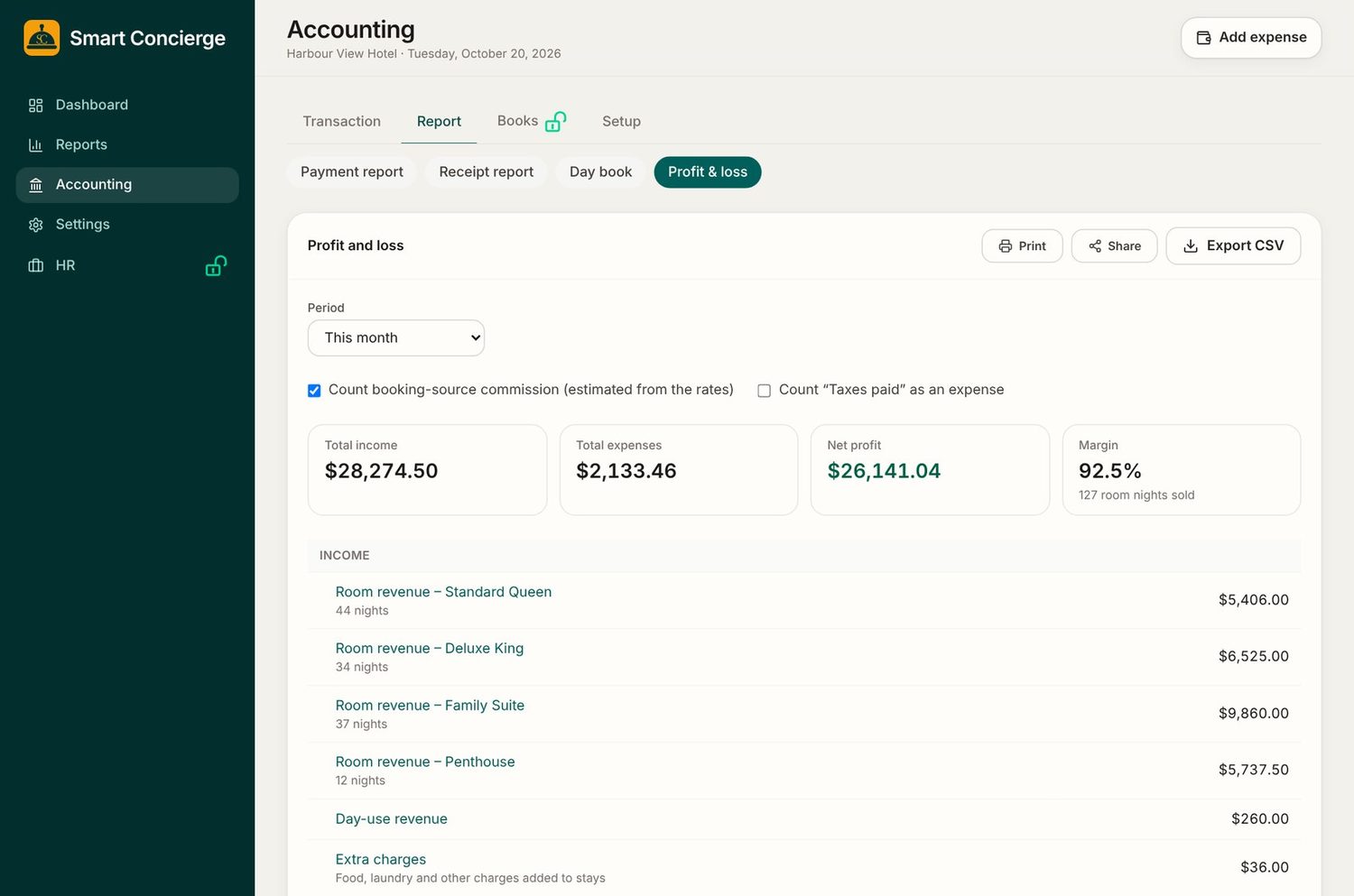
See your profit for any period

A profit and loss statement built from your bookings and expenses. Pick a period and see income, expenses, net profit and margin, with booking-site commission counted if you want it.

  • Income by room type, day-use and extra charges
  • Print, share or export to CSV
  • Click any line to see what it is made of
Profit and loss statement

Daybook, bank and cash book

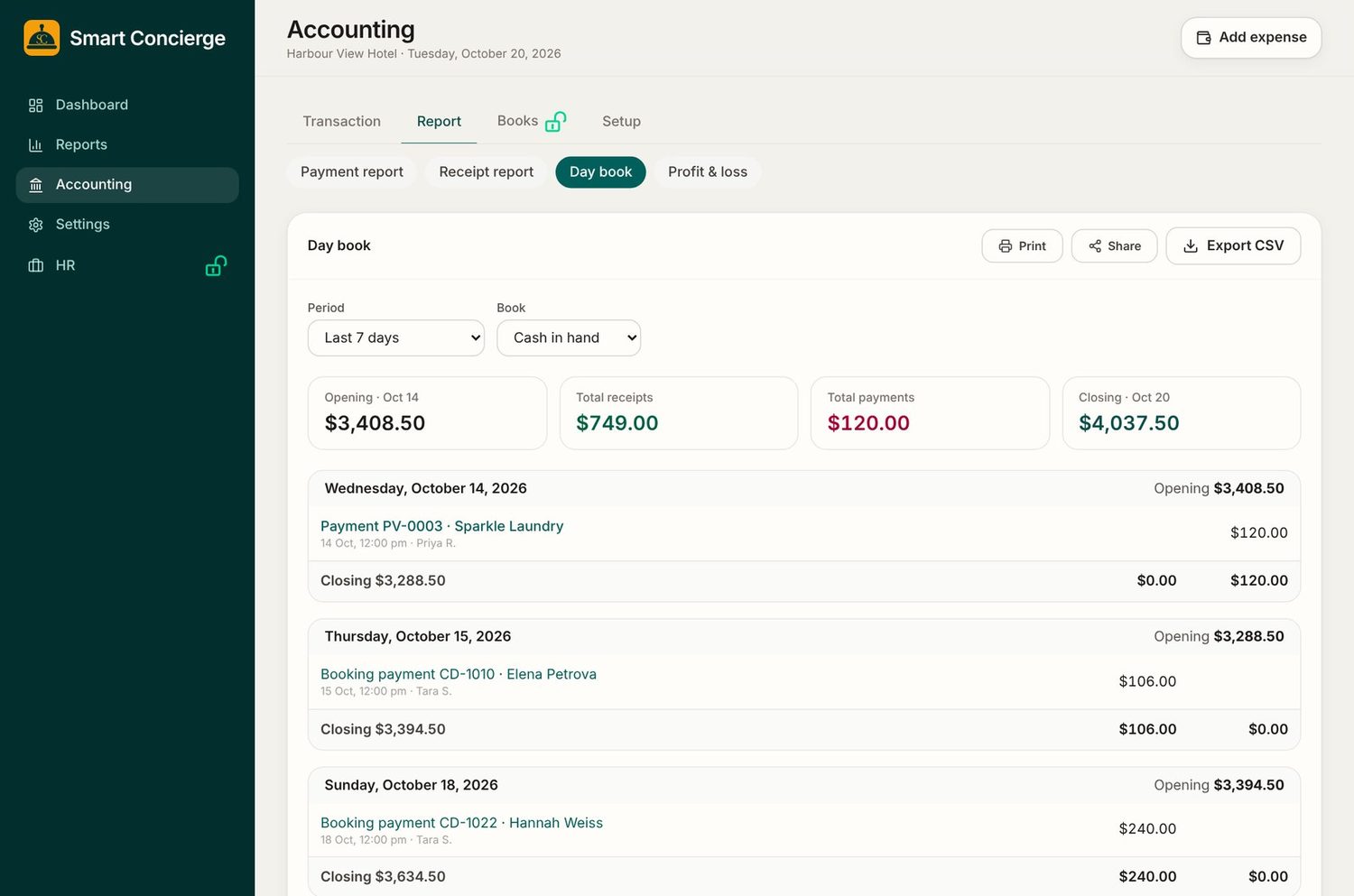
Every rupee in and out, day by day

The day book lists each day's receipts and payments with an opening and closing balance. Switch between cash in hand and the bank to see each book on its own.

  • Opening and closing balance for every day
  • Cash book and bank book in one place
  • Print, share or export to CSV
Day book with opening and closing balances

Journal entries

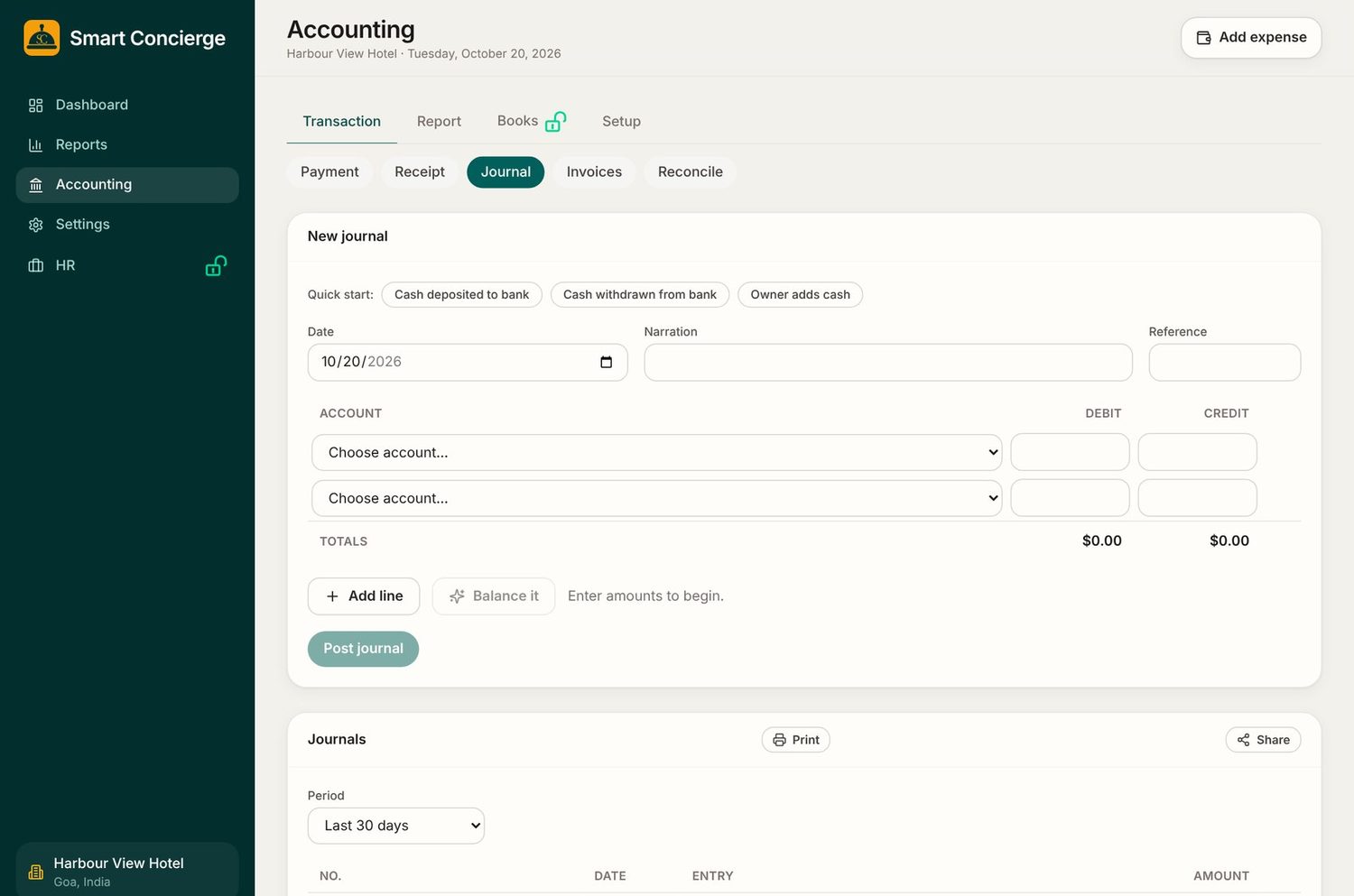
Record what is not a booking

Post a journal for anything that moves money between accounts, such as cash deposited to the bank or cash the owner adds. Quick-start buttons fill in the common ones.

  • Debit and credit lines that must balance
  • Quick starts for deposits, withdrawals and owner cash
  • Print or share the journal list
New journal entry form

Channel sync

Stop double bookings on booking sites

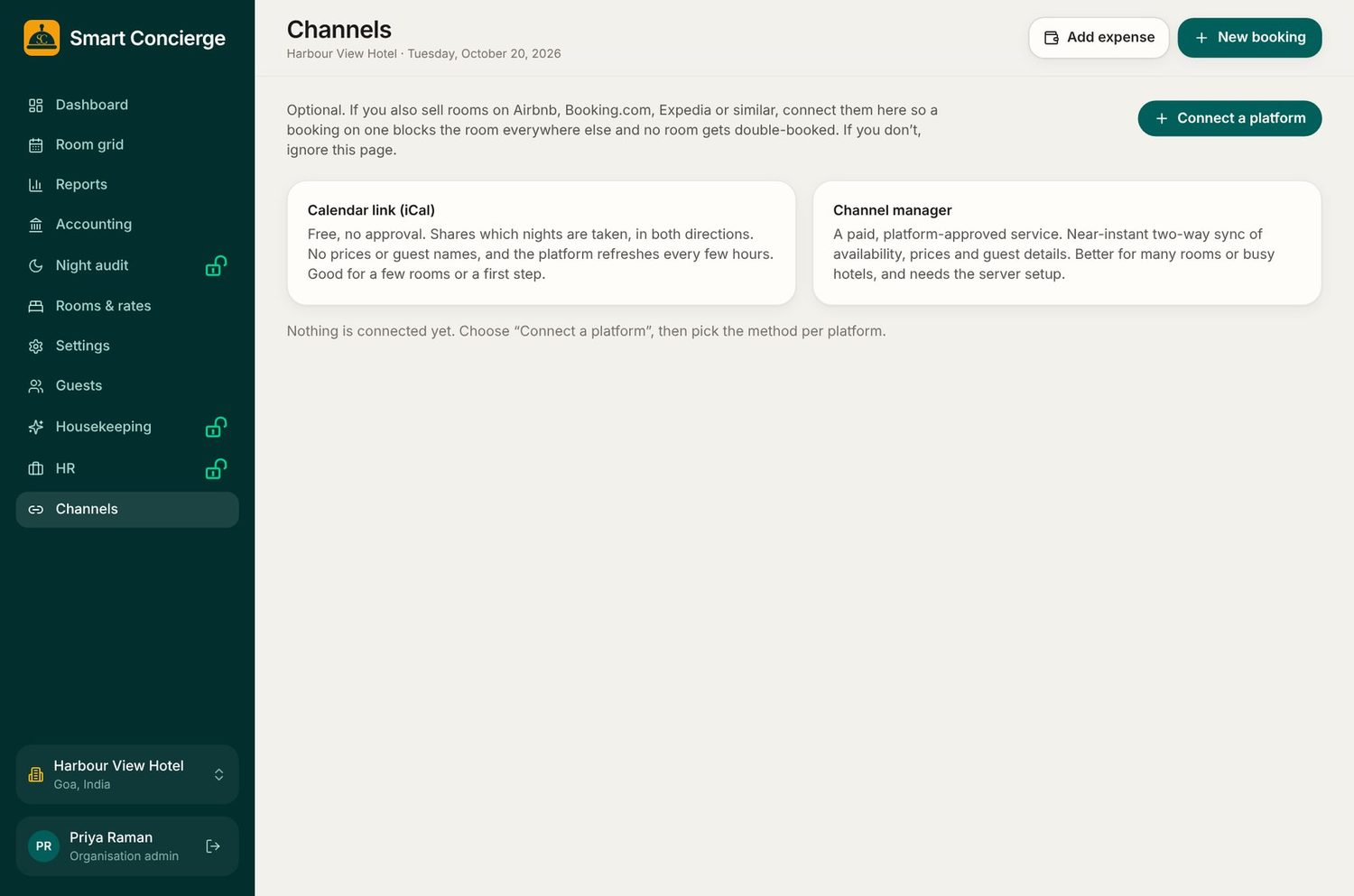
Connect Airbnb, Booking.com, Expedia or similar with a calendar link (iCal). A booking on one site blocks the room on the others, with no approval needed.

  • Free calendar link, shared both ways
  • The live app re-reads the links automatically every 15 minutes
  • Optional: use a channel manager for busy hotels
Channels page with calendar link option

No internet, no problem

The main work station keeps going when the internet drops

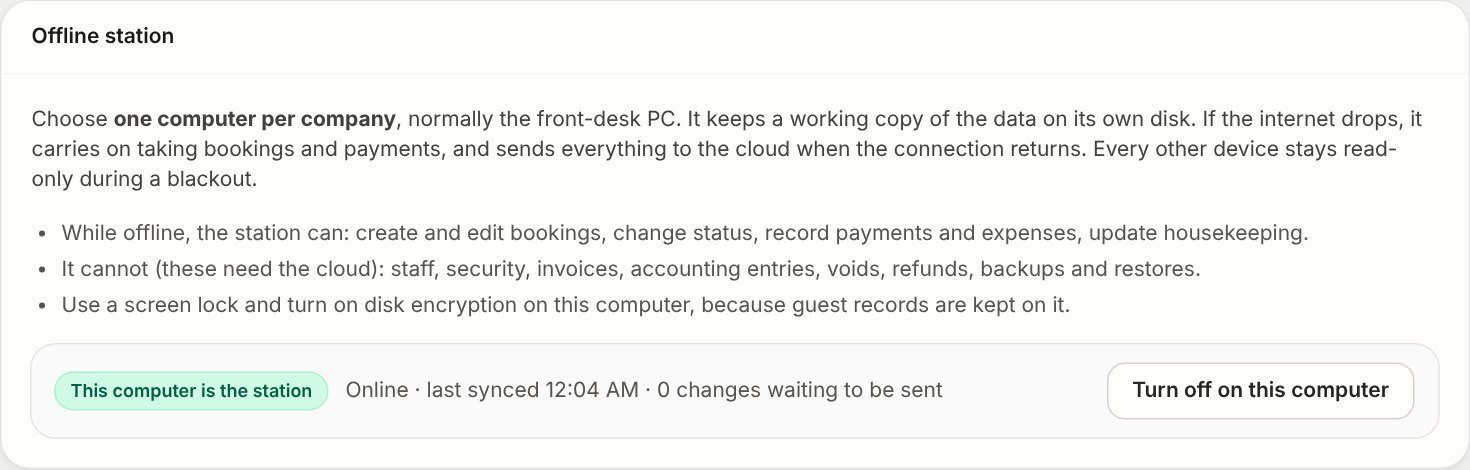
Choose one computer, normally the front-desk PC. It keeps a working copy of your data on its own disk, so the desk carries on, and everything is sent to the cloud when the connection returns.

  • Create and edit bookings, and change their status
  • Record payments and expenses, and update housekeeping
  • Syncs by itself when the internet is back
  • Other devices stay read-only until then
Banner saying Working offline, everything is saved on this computer
Offline station settings showing this computer is the station

Nothing is deleted

A record of everything

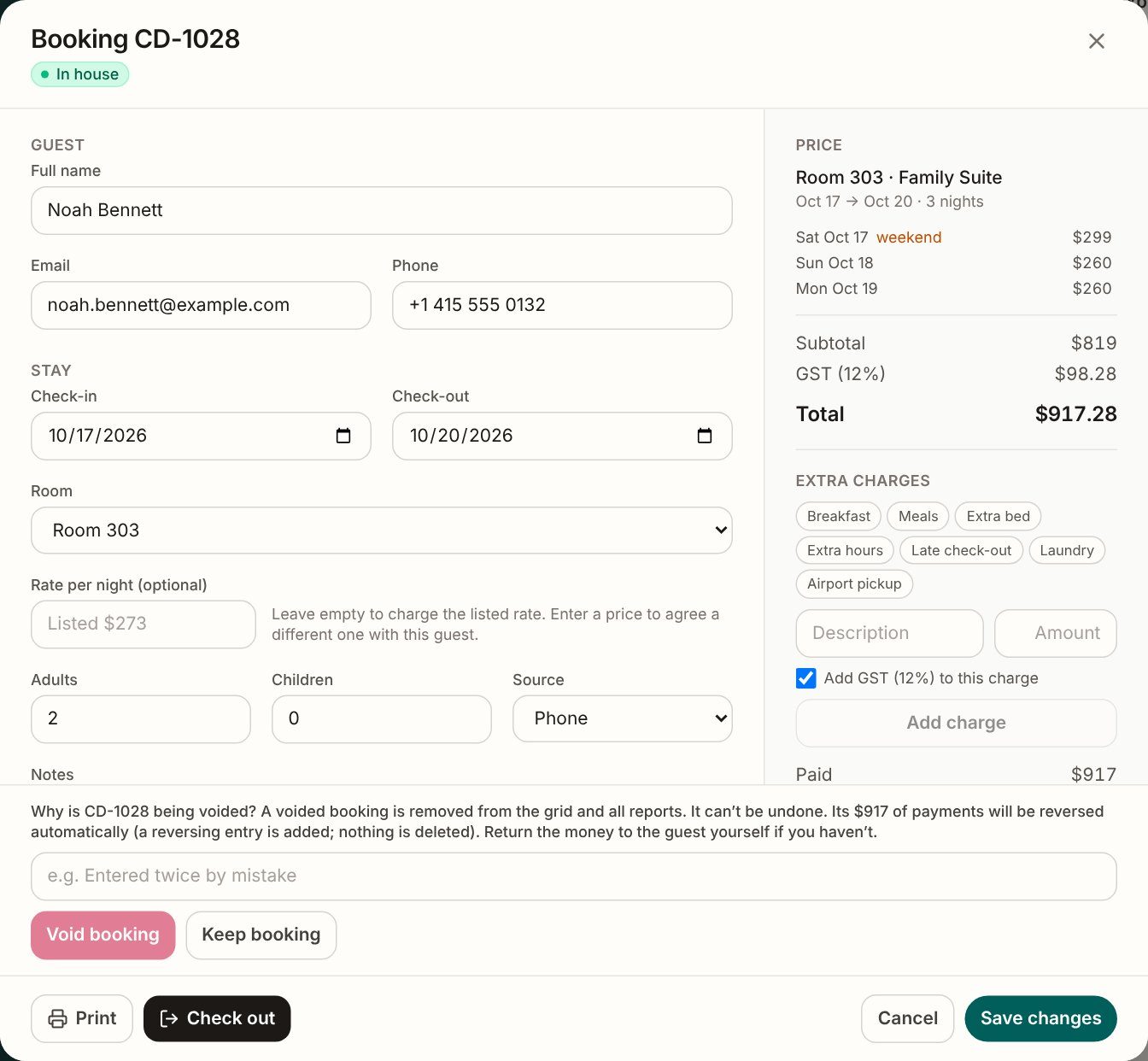
Bookings are never wiped. If one was entered by mistake, the owner voids it with a reason, and the payments are reversed with a new entry instead of being erased. The activity log shows who did what and when.

  • Void with a reason, reversing entries added
  • Every price change and export is logged
  • Night audit locks the day once it is closed
Void booking panel explaining that nothing is deleted

Bank / OTA reconcile

Match payments to your bank statement

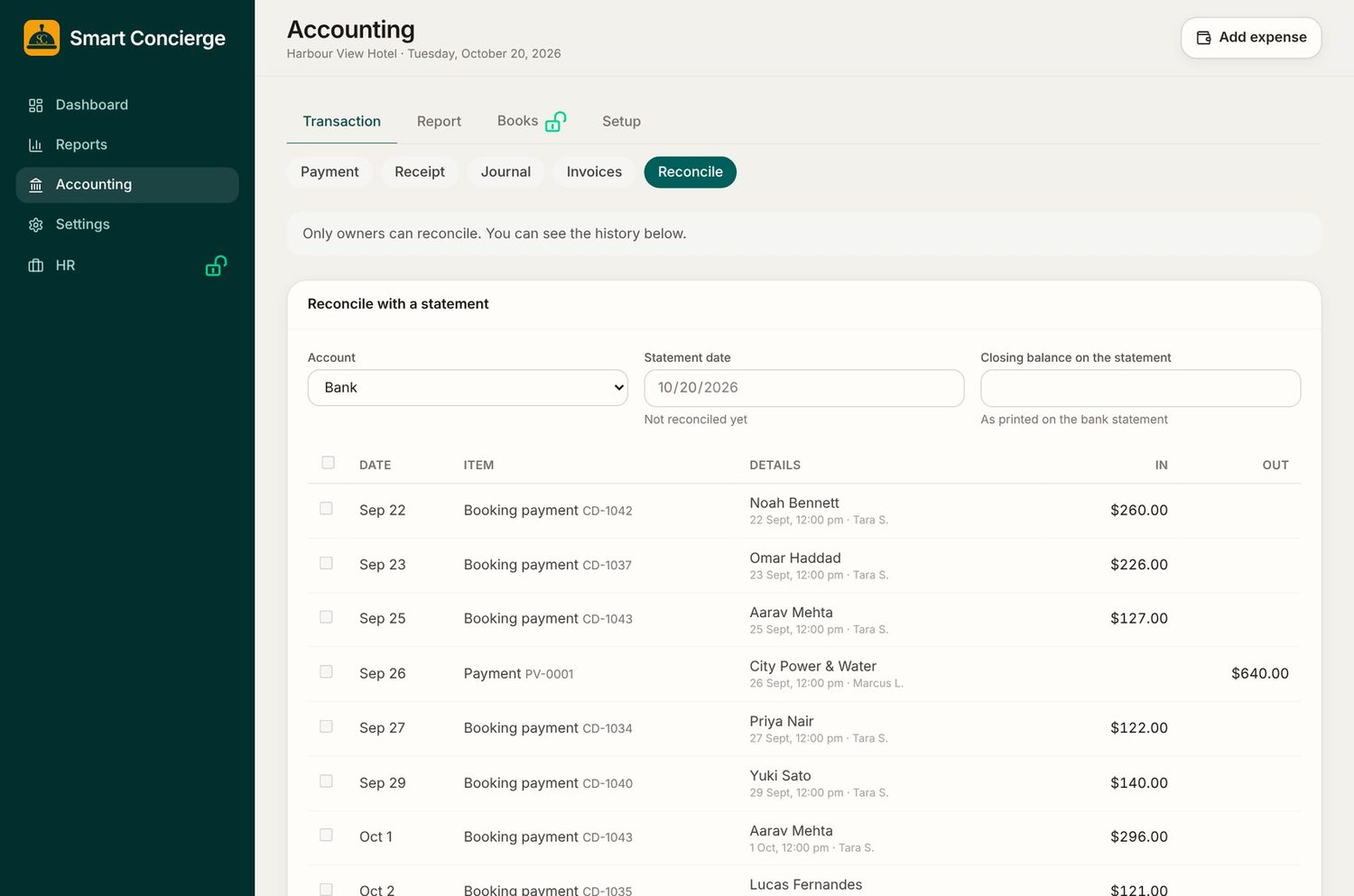
Enter the closing balance from your bank statement and tick off the payments that have cleared, including payouts from booking sites. The system shows the difference until it reaches zero.

  • Bank, cash and other accounts
  • History of every reconciliation
  • Owner-only, so figures stay safe
Reconcile with a statement

Guest profile

Know every guest

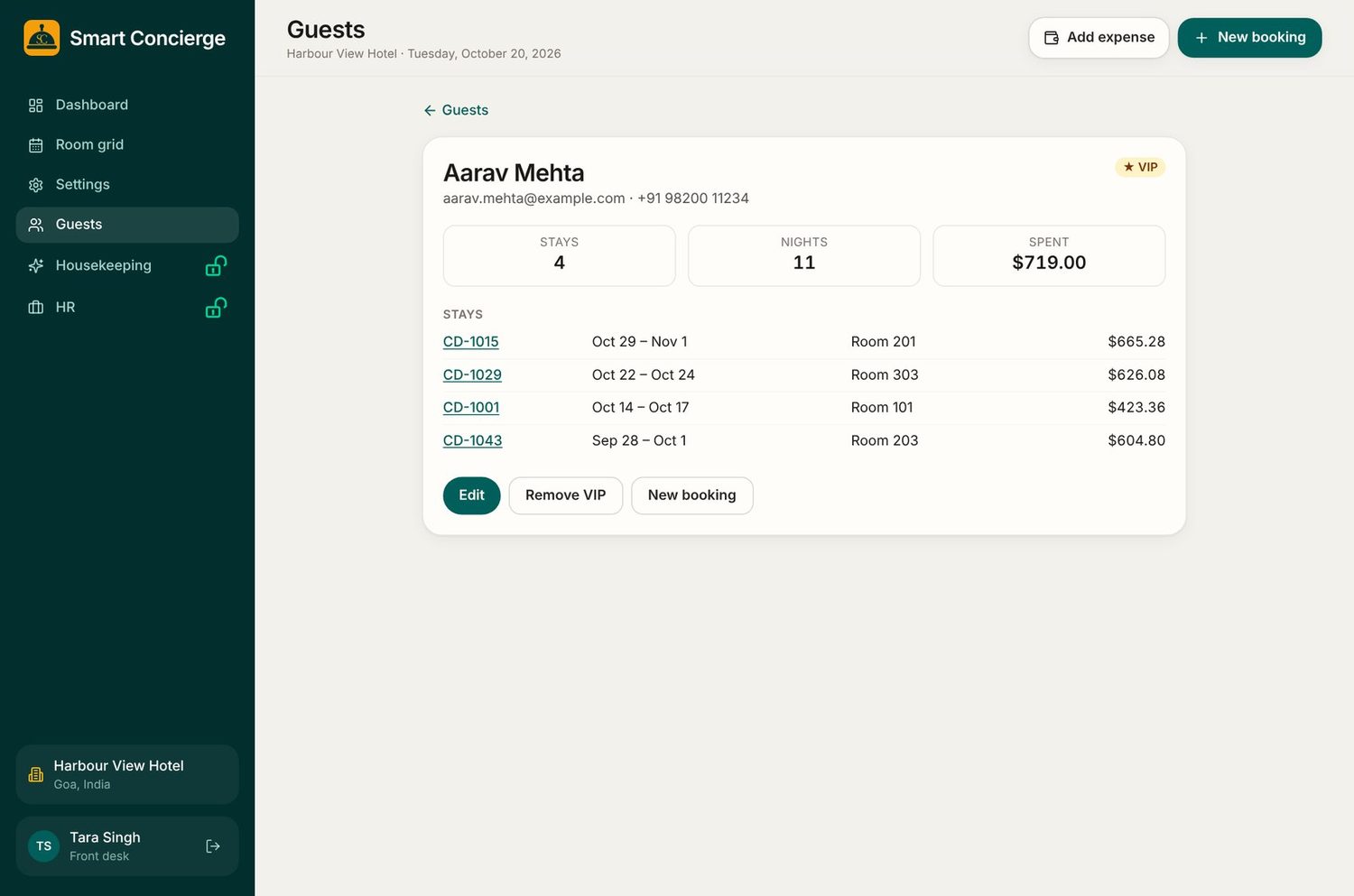
Each guest has a record with their contact details, every stay, the nights they have spent and the total they have paid. Mark your best guests as VIP and book their next stay from the same page.

  • Search by name, phone or email
  • Full stay history, linked to each booking
  • VIP marking for returning guests
Guest profile with stay history

HR

Your team, on record

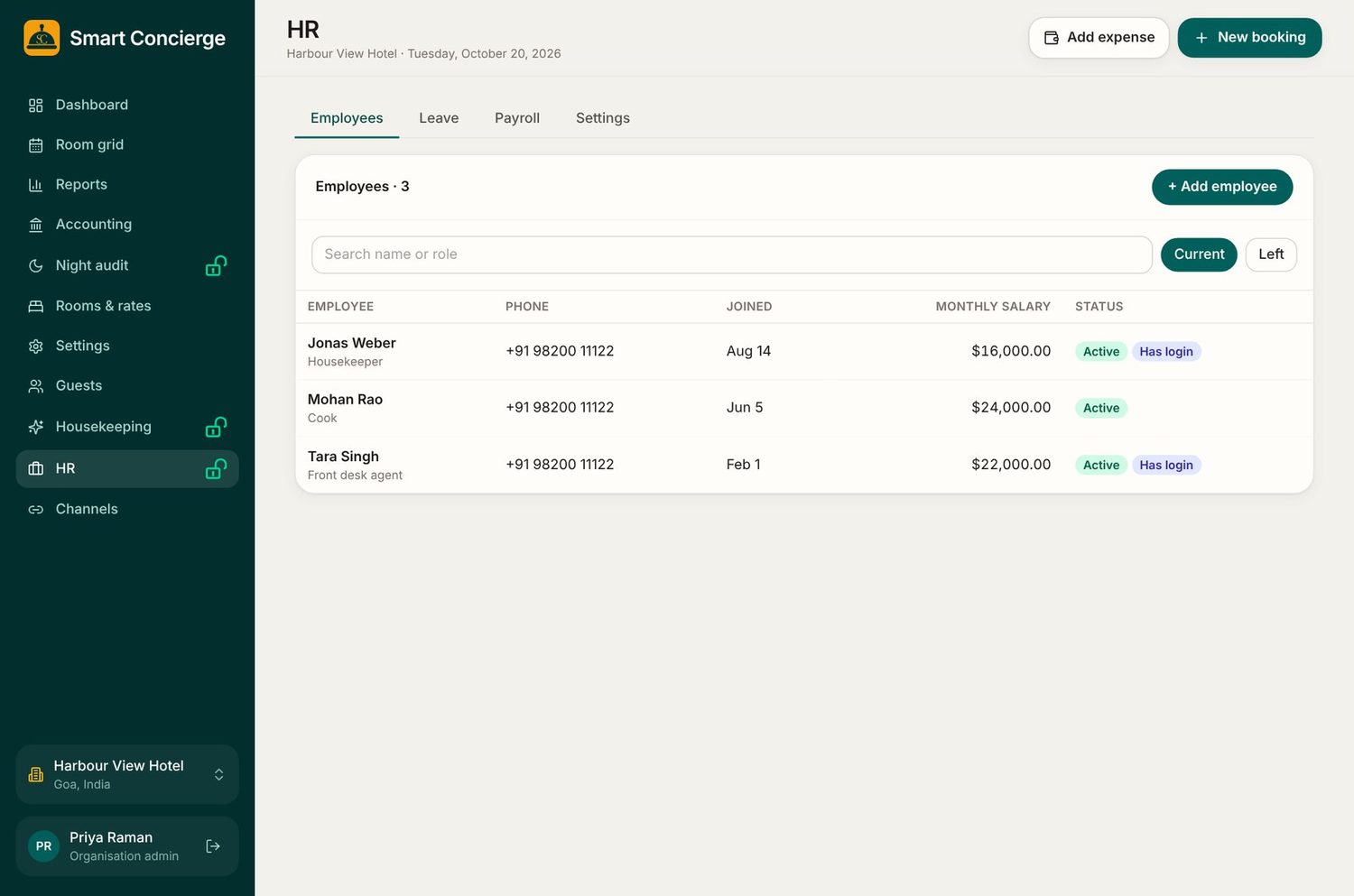
Keep an employee record for everyone, including salary, joining date and whether they have a login. Staff request leave on their phone and managers approve it.

  • Employees, leave and payroll in one place
  • Staff see their own record only
  • Every HR action is written to the activity log
HR employees list

Reports

Know how the month is going

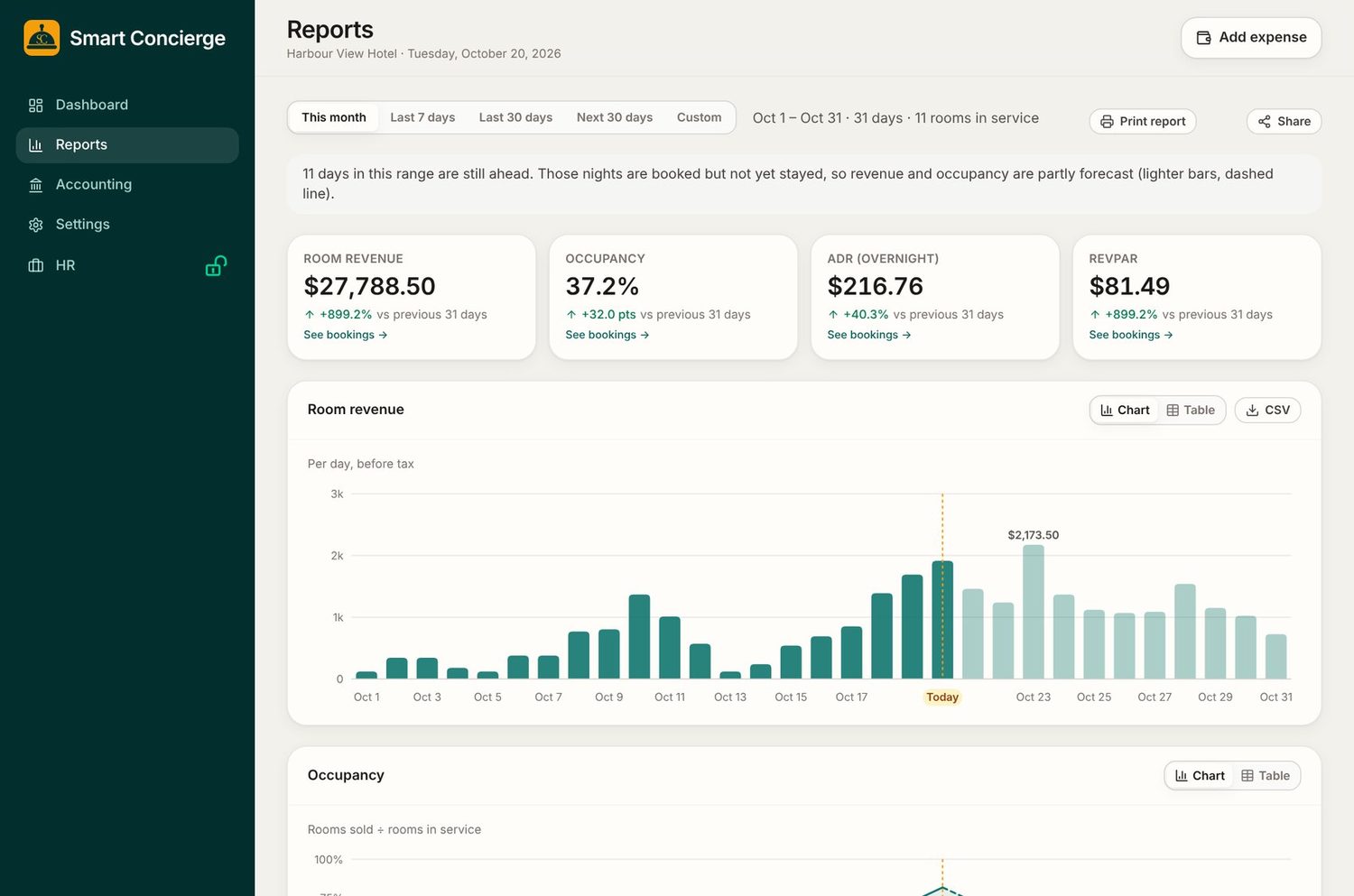
Occupancy, average rate, revenue per room, payments and balances. Click any figure to see the bookings behind it.

  • Commission by booking site
  • Export any table to CSV
  • Every export is written to the activity log
Reports

Also included

The rest of the toolbox

Staff roles

Owner, manager, front desk and housekeeping. Each sees only what they should.

Several properties

Switch between hotels in one click. Rooms, rates, tax and check-in times are set per property.

No internet, no problem

The main work station keeps taking bookings and payments, and syncs when the internet returns.

Night audit

Close the day, lock the figures and keep a clear record. Add-on.

Full accounting

General ledger, trial balance, balance sheet and year closing. Add-on.

Booking sites

Track where each booking came from and what commission it cost you.

Day-use

Sell 3 or 6 hour blocks between stays, priced per room type.

Backup and restore

Download a backup of your hotel's records whenever you like.

Your own settings

Currency, tax name and rate, payment methods, room types and rates.

See it with your own rooms

Send us a message and we will show you a live demo, and set up your property in your own currency and tax.

Message us on WhatsApp